Category: C#

  • Our CSV Export Took 9 Seconds. Reflection Was Doing the Same Work 50,000 Times.

    A customer reported that exporting their order history to CSV felt “frozen.” About 50,000 rows, and the request sat there for nearly nine seconds.

    The database query was fast. The network was fine. I spent half a day profiling before the answer showed up in a flame graph, in a place I hadn’t thought to look: reflection.

    What reflection actually is

    Reflection lets your code inspect itself at runtime. You can ask a type what properties it has, read a property’s value by name, or call a method you only know by a string. It’s how serializers, ORMs, dependency injection containers, and mappers work under the hood.

    It’s powerful because your code no longer needs to know the types at compile time. It costs something because the runtime has to look up metadata every time you ask.

    Real-world example: before

    Our exporter was generic. It took any list of objects and a list of column names, and wrote them out. Here’s the simplified version:

    public string Export<T>(IEnumerable<T> rows, string[] columns)
    {
        var sb = new StringBuilder();
    
        foreach (var row in rows)
        {
            foreach (var column in columns)
            {
                var prop = row.GetType().GetProperty(column);
                var value = prop.GetValue(row);
                sb.Append(value).Append(',');
            }
            sb.AppendLine();
        }
    
        return sb.ToString();
    }

    It looks harmless. But with 50,000 rows and 8 columns, GetProperty ran 400,000 times. Every call asked the runtime to search the type’s metadata for a property it had already found on the previous row.

    Real-world example: after

    The property doesn’t change between rows. Only the object does. So the lookup belongs outside the loop:

    public string Export<T>(IEnumerable<T> rows, string[] columns)
    {
        var props = columns
            .Select(c => typeof(T).GetProperty(c))
            .ToArray();
    
        var sb = new StringBuilder();
    
        foreach (var row in rows)
        {
            foreach (var prop in props)
            {
                sb.Append(prop.GetValue(row)).Append(',');
            }
            sb.AppendLine();
        }
    
        return sb.ToString();
    }

    Eight metadata lookups instead of 400,000. The export dropped from about nine seconds to under one.

    If you need to go further

    PropertyInfo.GetValue still has overhead on every call, because it’s a late-bound invocation. For truly hot paths, you can compile the getter once into a delegate and reuse it:

    var param = Expression.Parameter(typeof(T), "x");
    var getter = Expression.Lambda<Func<T, object>>(
        Expression.Convert(Expression.Property(param, "Name"), typeof(object)),
        param).Compile();
    
    var value = getter(row); // close to a normal property read

    Compiling costs something up front, so it only pays off when the same property is read many thousands of times. That is exactly why libraries like AutoMapper and many serializers build and cache these delegates internally. In newer .NET versions, source generators take this further by moving the work to compile time, so there is no runtime reflection at all.

    When reflection is perfectly fine

    Reflection isn’t the villain. Reading metadata once at startup, scanning assemblies to register services, or building a one-off admin tool are all reasonable uses. The problem is reflection inside a hot loop, where a cost you’d never notice once gets multiplied by the size of your data.

    The lesson

    Reflection works the way a phone book works. Looking up one number is trivial. Looking up the same number 400,000 times is a design problem. If the answer won’t change between iterations, find it once, keep it, and reuse it.
  • Generics in C#: Write Reusable, Type-Safe Code

    Have you ever written the same logic multiple times because you needed to support different data types?

    C# Generics help solve this problem by allowing developers to create classes, interfaces, methods, and delegates that work with different types while maintaining compile-time type safety.

    1. What are Generics?

    Generics let you define a type or method using a type parameter, commonly represented by T.

    For example:

    public T GetValue<T>(T value)
    {
        return value;
    }

    You can call this method with different types:

    int number = GetValue(10);
    string name = GetValue("Faiz");

    The same method works with both values without requiring separate implementations.

    2. Why are Generics useful?

    Type safety: The compiler checks that you use compatible types, reducing the need for unsafe casts.

    Code reusability: Instead of duplicating logic for integers, strings, and other types, you can reuse a generic implementation.

    Performance: Generic collections avoid the boxing and unboxing overhead associated with storing value types in non-generic collections such as ArrayList.

    Maintainability: One well-designed generic class can replace several nearly identical classes.

    3. Where will you find Generics in .NET?

    You probably already use generics in your daily work:

    • List<T> — stores a collection of a specific type.
    • Dictionary<TKey, TValue> — stores key-value pairs.
    • Task<T> — represents an asynchronous operation that produces a result.
    • IEnumerable<T> — provides a strongly typed way to enumerate values.

    For example:

    List<int> numbers = [1, 2, 3];
    List<string> names = ["Faiz", "Ahmed"];

    Both collections use the same generic collection type but enforce different element types.

    4. What are Generic Constraints?

    Sometimes, a generic method needs to restrict which types it accepts.

    public class Repository<T> where T : class
    {
        // T must be a reference type.
    }

    The where T : class constraint tells the compiler that T must be a reference type. Other constraints can require an interface, a base class, or a parameterless constructor.

    Final Thoughts

    Generics are essential for building reusable libraries, maintainable services, and type-safe .NET applications.

    Don’t just learn the syntax. Look at the generic types you already use in ASP.NET Core and understand how they help reduce duplication and improve type safety.

    📌 Save this post
    ♻️ Share if it is helpful for you and others
    🛎️ Follow me for more software engineering insights

  • If-Else vs Ternary Operator in C#: When Should You Use Each?

    If-Else vs Ternary Operator in C#: When Should You Use Each?

    As C# developers, we often need to make decisions in our code.

    Two common ways to do this are:

    • if-else
    • The ternary operator (?:)

    Both achieve the same goal, but choosing the right one can make your code either easier—or harder—to read.

    Let’s explore when each approach is the better choice.

    Using if-else

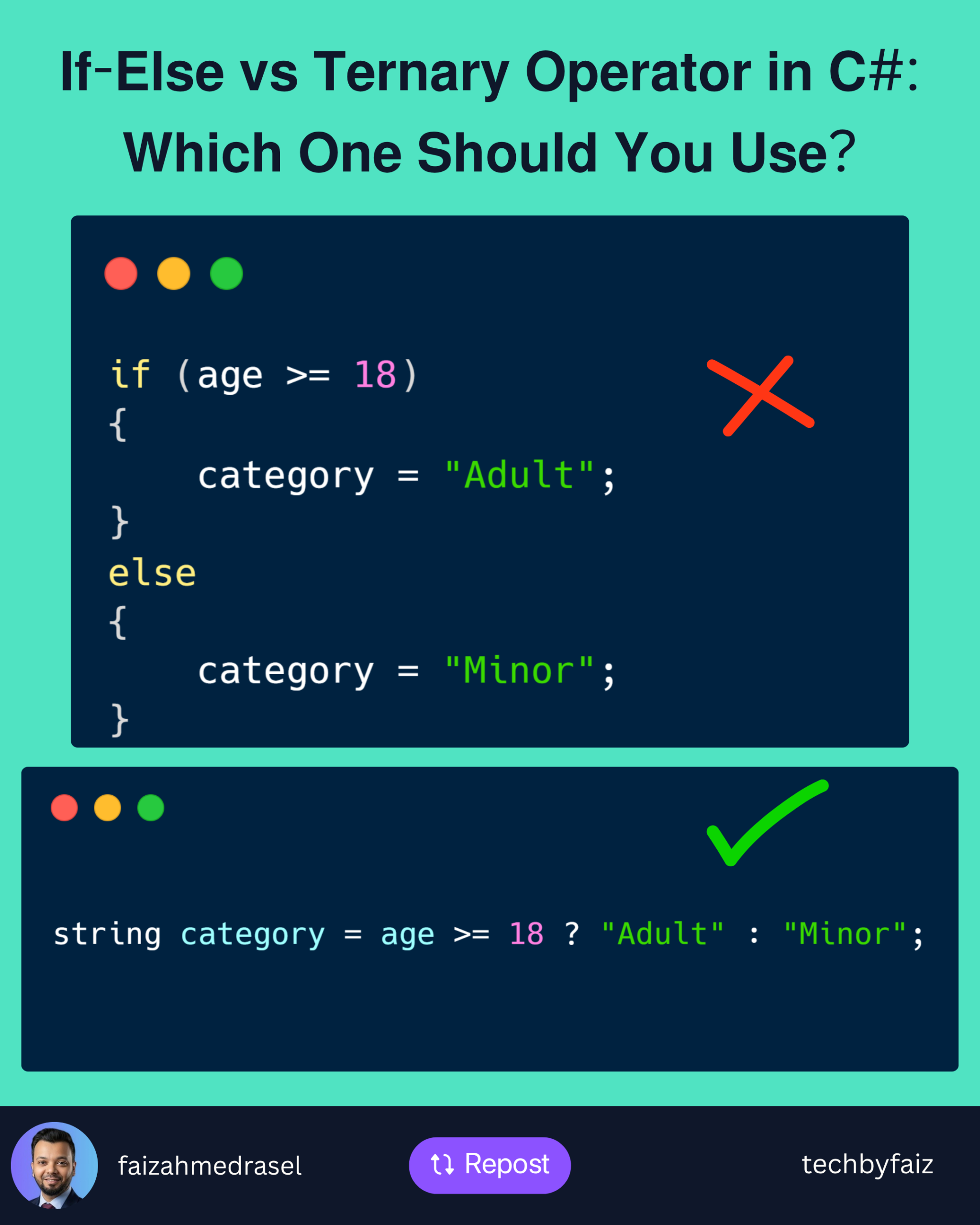
    The if-else statement is ideal when the logic is more than a simple decision.

    Example:

    if (age >= 18)
    {
        category = "Adult";
    }
    else
    {
        category = "Minor";
    }
    

    This style is easy to understand, especially when additional conditions or multiple statements are involved.

    When to Use if-else

    Use if-else when:

    • You have multiple statements to execute.
    • The logic is complex.
    • You need nested conditions.
    • Readability is more important than brevity.

    Using the Ternary Operator

    The ternary operator provides a shorter way to assign a value based on a condition.

    Syntax:

    condition ? valueIfTrue : valueIfFalse;
    

    Example:

    string category = age >= 18 ? "Adult" : "Minor";
    

    This is concise, expressive, and easy to read.


    A Good Use Case

    The ternary operator works well for simple value assignments.

    string status = isActive ? "Active" : "Inactive";
    

    Simple.

    Readable.

    No unnecessary lines of code.


    A Bad Use Case

    Avoid chaining multiple ternary operators.

    string result = score >= 80
        ? "Excellent"
        : score >= 60
            ? "Good"
            : score >= 40
                ? "Average"
                : "Fail";
    

    Although valid, this quickly becomes difficult to read and maintain.

    An if-else block communicates the same logic much more clearly.


    Comparison

    ScenarioRecommended
    Simple value assignment✅ Ternary Operator
    Multiple statements✅ If-Else
    Complex business logic✅ If-Else
    Nested conditions✅ If-Else
    Short, readable conditions✅ Ternary Operator

    Best Practices

    ✔ Use the ternary operator only for simple expressions.

    ✔ Prefer if-else for complex decision-making.

    ✔ Avoid deeply nested ternary operators.

    ✔ Prioritize readability over writing fewer lines of code.

    Remember:

    Code is read far more often than it is written.


    Final Thoughts

    The ternary operator is a great tool—but like any tool, it should be used appropriately.

    If it makes your code clearer, use it.

    If it makes someone stop and think, an if-else statement is probably the better choice.

    The goal isn’t to write the shortest code—it’s to write code that’s easy for your future self and your teammates to understand.