The UPDATE statement is one of the most frequently used SQL commands.
It’s also one of the most dangerous.
A single mistake can modify thousands—or even millions—of rows in seconds.
That’s why every developer should understand not just how to use UPDATE, but how to use it safely.
Basic Syntax
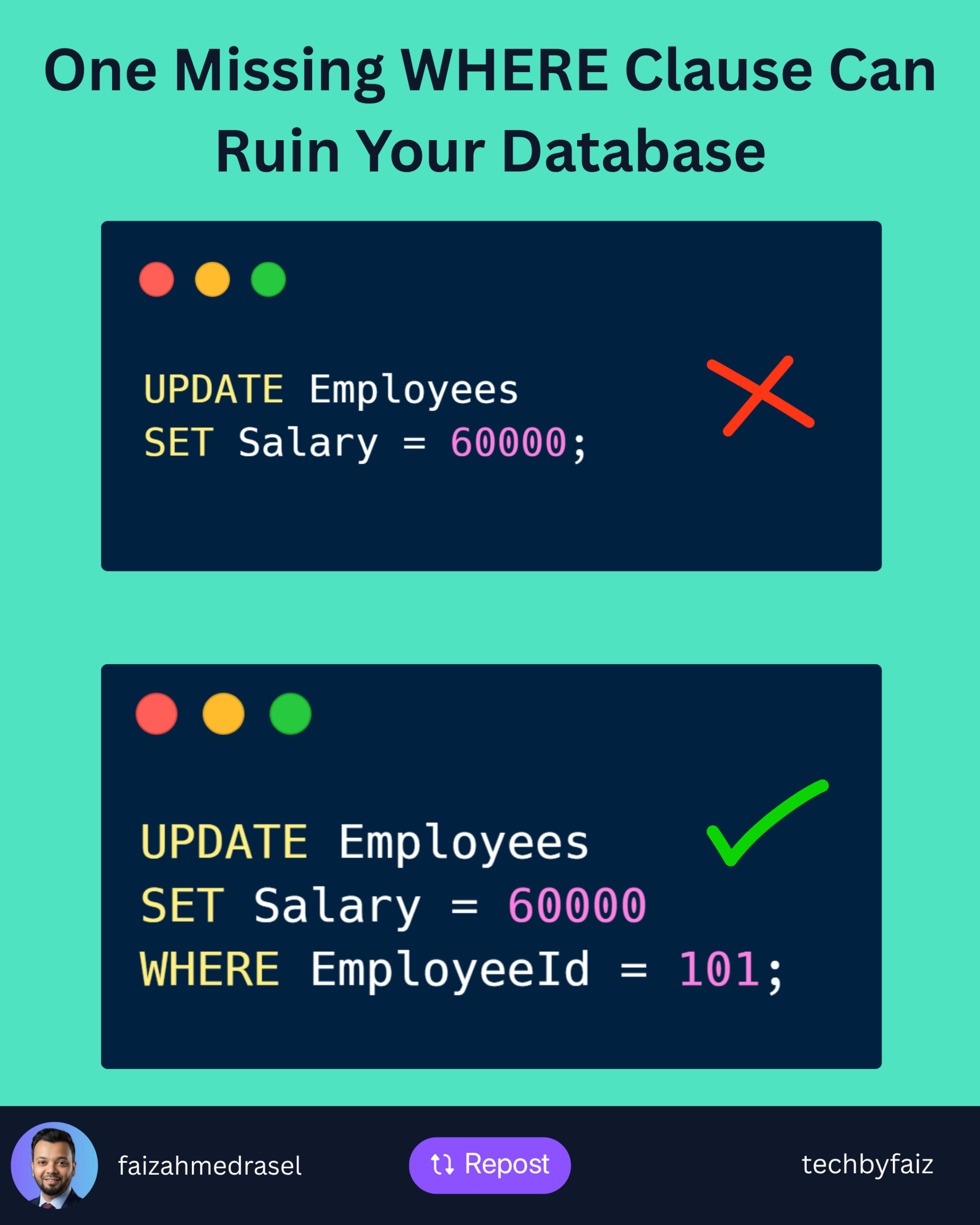
UPDATE Employees
SET Salary = 60000
WHERE EmployeeId = 101;
This updates only the employee with ID 101.
The Most Dangerous Mistake
Imagine running this query:
UPDATE Employees
SET Salary = 60000;
Notice what’s missing?
The WHERE clause.
This statement updates every row in the table.
In production, this mistake can be disastrous.
Always Verify Before Updating
Before executing an UPDATE, run the same condition with a SELECT.
Instead of this:
UPDATE Employees
SET Salary = 60000
WHERE Department = 'HR';
Verify the affected rows first:
SELECT *
FROM Employees
WHERE Department = 'HR';
If the SELECT returns the expected rows, you’re much safer executing the update.
Use Transactions for Large Updates
For critical changes, wrap your update in a transaction.
BEGIN TRANSACTION;

UPDATE Employees
SET Salary = Salary * 1.10
WHERE Department = 'HR';

-- Verify the results

COMMIT;

-- Or rollback if something looks wrong
-- ROLLBACK;
Transactions give you a chance to validate the changes before making them permanent.
Update Only What You Need
Avoid unnecessary updates.
Instead of updating every column:
UPDATE Employees
SET
    Name = 'John',
    Salary = 60000,
    Department = 'IT';
Update only the columns that actually changed.
This reduces unnecessary writes and can improve performance.
Be Careful with Joins
SQL Server allows updates using joins.
Example:
UPDATE e
SET e.ManagerId = d.ManagerId
FROM Employees e
JOIN Departments d
ON e.DepartmentId = d.Id;
Always verify the join with a SELECT first to ensure it returns the expected rows.
Performance Tips
✔ Ensure the WHERE column is indexed.
✔ Avoid updating millions of rows in a single transaction when possible.
✔ Batch large updates to reduce locking and transaction log growth.
✔ Review the execution plan for expensive updates.
Best Practices Checklist
- ✅ Always use a
WHEREclause unless you intentionally want to update every row. - ✅ Run a
SELECTfirst to verify the affected rows. - ✅ Use transactions for critical updates.
- ✅ Update only the required columns.
- ✅ Test large updates in a non-production environment first.
Final Thoughts
Writing an UPDATE statement is easy.
Writing a safe UPDATE statement is what separates experienced developers from beginners.
A few extra seconds spent verifying your query can prevent hours of recovery work later.