Tag: CareerDevelopment

  • What If a User Uploads a Dangerous File to Your Server? Here’s How to Prevent It.

    What If a User Uploads a Dangerous File to Your Server? Here’s How to Prevent It.

    File upload is one of the most common features in web applications—but it’s also one of the most targeted by attackers.

    Imagine a user uploads a file named:

    invoice.pdf.exe
    

    Or renames a malicious executable to:

    resume.pdf
    

    If your application trusts only the file name or extension, you could expose your server to serious security risks.

    A secure file upload system should never rely on a single validation step.

    1. Validate the File Extension

    Allow only the file types your application actually needs.

    Example:

    • .pdf
    • .jpg
    • .png
    • .docx

    Reject everything else.

    Remember: This is your first line of defense—not your only one.


    2. Verify the MIME Type

    Don’t trust the extension alone.

    Check the file’s MIME type sent by the client.

    For example:

    • application/pdf
    • image/jpeg
    • image/png

    Keep in mind that MIME types can also be spoofed, so continue with additional checks.


    3. Validate the File Signature (Magic Numbers)

    The most reliable validation is checking the file’s binary signature.

    For example:

    • PDF → %PDF
    • PNG → 89 50 4E 47
    • JPEG → FF D8 FF

    If the file signature doesn’t match the expected format, reject the upload.


    4. Limit File Size

    Prevent attackers from uploading extremely large files.

    Example:

    • Images: 5 MB
    • Documents: 20 MB

    This reduces the risk of storage abuse and denial-of-service attacks.


    5. Rename Uploaded Files

    Never store files using the original filename.

    Instead, generate a unique name.

    Example:

    3b8b2d1d-ef7d-4db2-8a8c-0f5d91a0f4a7.pdf
    

    This avoids filename collisions and reduces information disclosure.


    6. Store Files Outside the Web Root

    Avoid storing uploaded files in directories that can execute code.

    Instead:

    • Store files outside the web root.
    • Serve them through a controller or API after authorization.

    This prevents direct execution of uploaded files.


    7. Scan for Malware

    Integrate an antivirus solution to scan uploaded files before making them available.

    This is especially important for systems that accept documents from external users.


    8. Restrict File Permissions

    Uploaded files should never have execute permissions.

    Grant only the minimum permissions required to read or write the file.


    9. Authorize Access

    Not every uploaded file should be publicly accessible.

    Always verify that the requesting user has permission to download or view the file.


    10. Log Upload Activity

    Record important details such as:

    • User ID
    • IP address
    • File name
    • File size
    • Upload time
    • Validation failures

    Logs help detect suspicious activity and support incident investigations.


    Final Thoughts

    Secure file uploads are about defense in depth.

    Don’t rely on a single validation.

    A robust upload pipeline should include:

    • Extension validation
    • MIME type verification
    • File signature checks
    • Size limits
    • Malware scanning
    • Secure storage
    • Proper authorization

    Security isn’t a single feature—it’s a combination of small decisions that work together to protect your application.
  • ম্যানেজার হঠাৎ বললেন, “এই Project-এর Estimation করে দেন!” — তখন কী করবেন?

    ম্যানেজার হঠাৎ বললেন, “এই Project-এর Estimation করে দেন!” — তখন কী করবেন?

    সকালের Stand-up Meeting শেষ।

    হঠাৎ ম্যানেজার বললেন,

    “Faiz, এই নতুন Project-এর একটা Estimation আজকেই লাগবে।”

    প্রথম প্রতিক্রিয়া কী হবে?

    অনেকেই তাড়াহুড়ো করে একটা সংখ্যা বলে দেন—

    “মনে হয়… ২ সপ্তাহ লাগবে।”

    কিন্তু একজন অভিজ্ঞ Software Engineer জানেন,

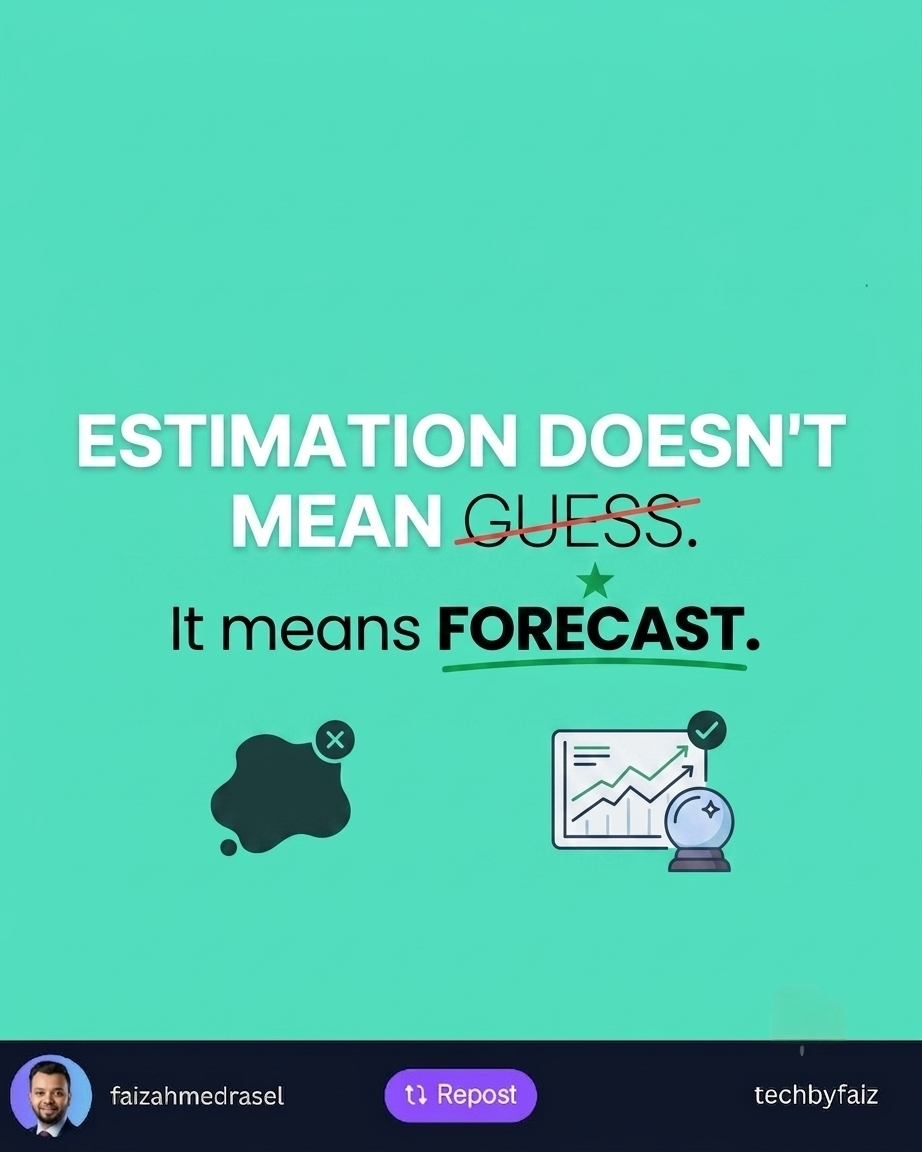
    Estimation মানে Guess করা নয়।

    Estimation মানে হলো, বর্তমান তথ্যের ভিত্তিতে একটি যৌক্তিক পূর্বাভাস (Forecast)।


    আমি কীভাবে শুরু করি?

    প্রথমেই আমি একটি প্রশ্ন করি—

    Requirement কি পুরোপুরি পরিষ্কার?

    যদি Requirement পরিষ্কার না হয়, তাহলে কোনো Estimation-ই নির্ভুল হবে না।


    এরপর Project-টাকে ছোট ছোট অংশে ভাগ করি

    একটি বড় Feature-এর Estimation করা কঠিন।

    কিন্তু যদি এটিকে ভাগ করি—

    • Authentication
    • Database Design
    • API Development
    • Frontend Integration
    • Unit Testing
    • Deployment

    তাহলে Estimation অনেক বাস্তবসম্মত হয়।


    Unknown বিষয়গুলো আলাদা করি

    সব Project-এই কিছু Unknown থাকে।

    যেমন—

    • Third-party API Integration
    • নতুন Technology
    • Client-এর পরিবর্তিত Requirement

    এসব ঝুঁকি (Risk) আগে থেকেই চিহ্নিত করলে Estimation আরও বাস্তবসম্মত হয়।


    Buffer রাখতে ভুলবেন না

    একটি Project কখনোই শুধুমাত্র Coding নয়।

    এর সাথে থাকে—

    • Code Review
    • Bug Fix
    • Testing
    • Meeting
    • Deployment
    • Production Support

    শুধু Coding Time ধরে Estimation করলে প্রায়ই Deadline মিস হয়।


    সবচেয়ে বড় ভুল

    অনেক সময় আমরা Pressure-এর কারণে বলি—

    “হ্যাঁ, হয়ে যাবে।”

    কিন্তু বাস্তবে Requirement না বুঝে দেওয়া Estimation পুরো Team-এর জন্য সমস্যার কারণ হতে পারে।

    একজন Professional Engineer প্রয়োজনে বলেন—

    “আমি Requirement Review করে আজ বিকেলের মধ্যে একটি বাস্তবসম্মত Estimation জানাচ্ছি।”

    এটা দুর্বলতা নয়, বরং Professionalism।


    আমার শেখা একটি বিষয়

    বছরের পর বছর কাজ করে একটি বিষয় বুঝেছি—

    ভুল Estimation দেওয়ার চেয়ে, একটু সময় নিয়ে সঠিক Estimation দেওয়া অনেক ভালো।

    কারণ Deadline মিস করলে শুধু Project নয়, Team-এর বিশ্বাসও ক্ষতিগ্রস্ত হয়।

    শেষ কথা

    Estimation কোনো প্রতিশ্রুতি (Promise) নয়।

    এটি হলো একটি Forecast, যা বর্তমান তথ্যের উপর ভিত্তি করে তৈরি হয়।

    আর একজন ভালো Software Engineer-এর কাজ শুধু দ্রুত উত্তর দেওয়া নয়, বরং তথ্যভিত্তিক এবং বাস্তবসম্মত উত্তর দেওয়া।

  • Control Makes People Behave. Autonomy Makes People Engage.

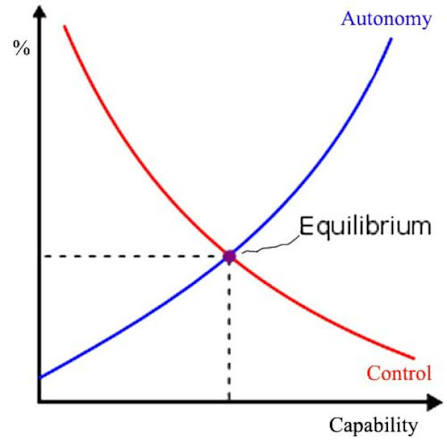
    Control Makes People Behave. Autonomy Makes People Engage.

    A team can follow rules and still lack ownership.

    Why?

    Because compliance and commitment are not the same thing.

    Control can create short-term results:

    ✅ People follow instructions

    ✅ Tasks are completed on time

    ✅ Processes are maintained

    But excessive control can also create:

    ❌ Fear of making decisions

    ❌ Less creativity

    ❌ Waiting for approval instead of taking ownership

    ❌ A “just do what I was told” mindset

    Autonomy creates a different environment.

    When people have trust and freedom to make decisions:

    ✅ They think beyond their assigned tasks

    ✅ They take responsibility for outcomes

    ✅ They bring new ideas

    ✅ They feel connected to the team’s success

    For example:

    A manager says:

    “Complete this task exactly as I described.”

    The employee focuses on finishing the task.

    A better approach:

    “Here is the goal. Choose the best way to achieve it.”

    The employee starts thinking like an owner.

    Good leadership is not about controlling every action.

    It is about providing:

    • Clear expectations
    • The right direction
    • Necessary support
    • Freedom to execute

    The goal is not to create people who only follow instructions.

    The goal is to build people who can think, decide, and contribute.

    💡 Great teams are not built on control alone.

    They are built on trust with accountability.

    👇 What creates better teams in your experience?

    More control or more autonomy?

    ♻️ If you found this helpful, feel free to repost and share it with your network.

    👉 Follow Faiz Ahmed Rasel for more .NET tips, tutorials, and deep dives.

    #Leadership #TeamManagement #ProfessionalGrowth #SoftwareEngineering #CareerDevelopment