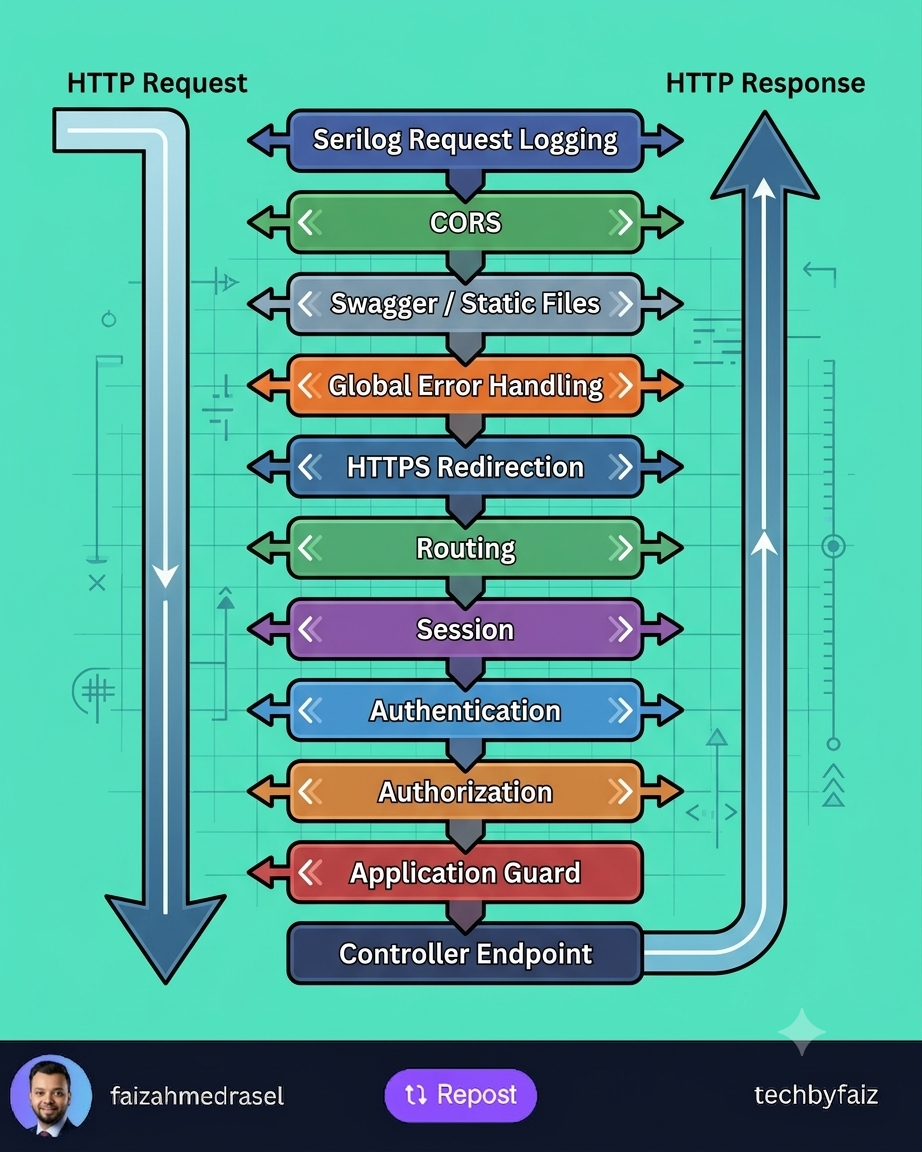
One of the most common mistakes in ASP.NET Core applications isn’t writing incorrect business logic—it’s configuring the middleware pipeline in the wrong order.
Middleware works like a series of checkpoints.
Every incoming HTTP request passes through each middleware before reaching your controller, and the response travels back through the same pipeline in reverse.
Request
    │
    ▼
Serilog Request Logging
    │
    ▼
CORS
    │
    ▼
Swagger / Static Files
    │
    ▼
Global Exception Handling
    │
    ▼
HTTPS Redirection
    │
    ▼
Routing
    │
    ▼
Session
    │
    ▼
Authentication
    │
    ▼
Authorization
    │
    ▼
Application Guard / Custom Middleware
    │
    ▼
Controller Endpoint
    │
    ▼
Response
Let’s understand why each middleware appears where it does.
1. Serilog Request Logging
This should be near the beginning of the pipeline.
Why?
It records every incoming request along with response time, status code, and exceptions, giving you complete visibility into request processing.
2. CORS
CORS should run before authentication and endpoint execution.
Its job is to determine whether a browser is allowed to access your API.
If the request isn’t allowed, there’s no reason to continue processing it.
3. Swagger & Static Files
These requests usually don’t require authentication or business logic.
Serving them early reduces unnecessary processing and improves performance.
4. Global Exception Handling
Unexpected exceptions can occur anywhere in the pipeline.
By placing exception handling early, you can return consistent error responses instead of exposing internal details or crashing the application.
5. HTTPS Redirection
Redirect HTTP requests to HTTPS before processing sensitive operations.
This ensures all subsequent middleware works over a secure connection.
6. Routing
Routing determines which endpoint matches the incoming request.
Without routing, ASP.NET Core doesn’t know which controller or endpoint should handle the request.
7. Session
If your application uses sessions, initialize them before components that depend on session data.
8. Authentication
Authentication answers the question:
Who is the user?
It validates credentials such as JWT tokens or cookies and builds the user’s identity.
9. Authorization
Authorization answers a different question:
Is this authenticated user allowed to perform this action?
This is why it must come after authentication.
Without knowing who the user is, authorization cannot make access decisions.
10. Application Guard (Custom Middleware)
Many applications include custom middleware for:
- Tenant validation
- Subscription checks
- Maintenance mode
- API key validation
- Request throttling
- Business-specific security rules
By this stage, routing, authentication, and authorization have already been completed, making user and route information available.
11. Controller Endpoint
Only after all middleware checks have passed does the request reach the controller.
The controller executes business logic, calls services, and returns a response.
Why Middleware Order Matters
Imagine placing UseAuthorization() before UseAuthentication().
Authorization would execute before the user is identified, causing access checks to fail.
Similarly, placing exception handling too late may leave some exceptions unhandled.
Correct middleware ordering ensures:
- Better security
- Improved performance
- Consistent error handling
- Easier debugging
- Predictable request processing
Final Thoughts
The middleware pipeline is the backbone of every ASP.NET Core application.
Understanding not just the order—but the purpose of each middleware—helps you build secure, maintainable, and high-performing APIs.
Remember:
In ASP.NET Core, the order of middleware is just as important as the middleware itself.
Leave a Reply