Category: Entity Framework

  • 7 EF Core Query Optimization Tips Every .NET Developer Should Know

    7 EF Core Query Optimization Tips Every .NET Developer Should Know

    Entity Framework Core makes database access simple, but it’s also easy to write queries that look correct while performing poorly in production.

    As applications grow, inefficient queries can become one of the biggest performance bottlenecks.

    Here are seven practical techniques I regularly consider when working with EF Core.


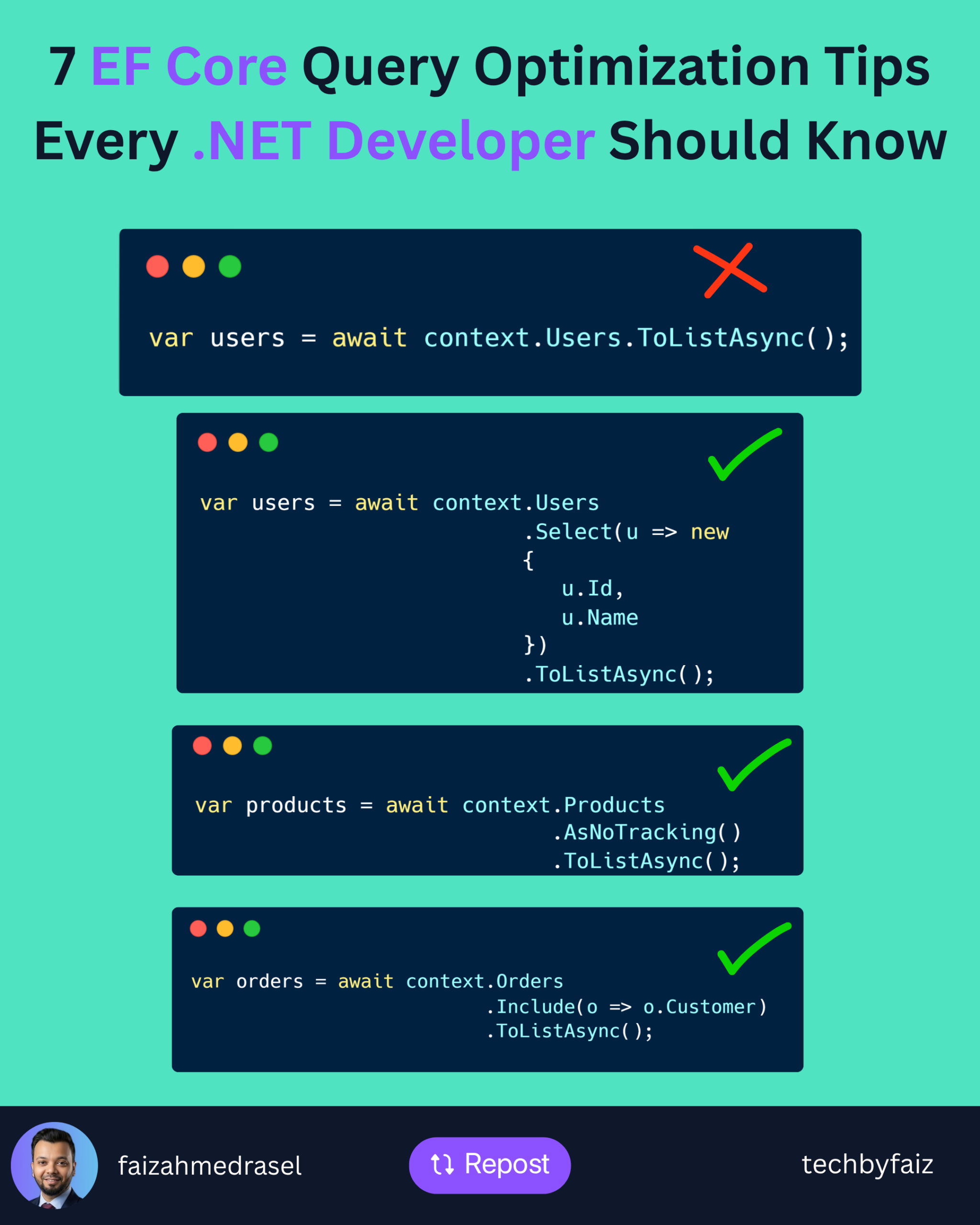
    1. Select Only the Columns You Need

    Avoid loading an entire entity if you only need a few properties.

    ❌ Less efficient:

    var users = await context.Users.ToListAsync();
    

    ✅ Better:

    var users = await context.Users
        .Select(u => new
        {
            u.Id,
            u.Name
        })
        .ToListAsync();
    

    Fetching fewer columns reduces network traffic and memory usage.


    2. Use AsNoTracking() for Read-Only Queries

    By default, EF Core tracks every entity it loads.

    If you’re only reading data, disable change tracking.

    var products = await context.Products
        .AsNoTracking()
        .ToListAsync();
    

    This can noticeably improve performance for read-heavy operations.


    3. Avoid the N+1 Query Problem

    This is a common performance issue.

    Instead of triggering additional queries for related data, load it efficiently.

    var orders = await context.Orders
        .Include(o => o.Customer)
        .ToListAsync();
    

    Or project only the data you actually need.


    4. Filter Early

    Push filtering to the database.

    var activeUsers = await context.Users
        .Where(u => u.IsActive)
        .ToListAsync();
    

    Don’t retrieve unnecessary rows and filter them in memory.


    5. Paginate Large Result Sets

    Avoid returning thousands of records at once.

    var customers = await context.Customers
        .OrderBy(c => c.Id)
        .Skip(page * pageSize)
        .Take(pageSize)
        .ToListAsync();
    

    Pagination improves both application performance and user experience.


    6. Check the Generated SQL

    EF Core generates SQL for you—but you should still know what it’s executing.

    Use:

    var sql = query.ToQueryString();
    

    Reviewing the generated SQL helps identify unnecessary joins, filters, or inefficient queries before they reach production.


    7. Create the Right Database Indexes

    Even the best EF Core query can perform poorly without proper indexing.

    Frequently filtered or joined columns should be indexed appropriately.

    Remember:

    EF Core generates SQL. SQL Server executes it.

    Database design still matters.


    Final Thoughts

    Optimizing EF Core isn’t about replacing it with raw SQL.

    It’s about understanding how your LINQ queries translate into SQL and ensuring the database performs as little work as necessary.

    A few simple habits can make a significant difference:

    • Project only what you need.
    • Use AsNoTracking() for read-only queries.
    • Avoid N+1 queries.
    • Filter early.
    • Paginate large datasets.
    • Inspect generated SQL.
    • Design proper indexes.

    Small optimizations applied consistently often produce the biggest improvements.

  • Lazy Loading vs Eager Loading vs Explicit Loading in EF Core: Which One Should You Use?

    Lazy Loading vs Eager Loading vs Explicit Loading in EF Core: Which One Should You Use?

    When working with Entity Framework Core, loading related data efficiently is just as important as writing correct queries.

    EF Core provides three approaches:

    • Eager Loading
    • Lazy Loading
    • Explicit Loading

    Each has its own strengths and trade-offs.

    Choosing the wrong one can lead to unnecessary database calls and poor application performance.

    Let’s explore when to use each.


    1. Eager Loading

    Eager loading retrieves the main entity and its related data in a single query using Include().

    Example:

    var orders = await context.Orders
        .Include(o => o.Customer)
        .ToListAsync();
    

    Here, both Orders and their related Customer data are loaded together.

    Use Eager Loading When:

    • You know you’ll need the related data.
    • You want to minimize database round trips.
    • You’re building APIs that return complete object graphs.

    Pros

    • Fewer database queries.
    • Better performance in many scenarios.
    • Easy to understand.

    Cons

    • Can retrieve unnecessary data if overused.
    • Multiple Include() calls may produce complex SQL queries.

    2. Lazy Loading

    With lazy loading, related data isn’t loaded until it’s actually accessed.

    Example:

    var order = await context.Orders.FirstAsync();
    
    var customer = order.Customer;
    

    The second line triggers another database query.

    Use Lazy Loading When:

    • Related data is rarely needed.
    • Simplicity is more important than maximum performance.

    Pros

    • Loads data only when needed.
    • Cleaner code.

    Cons

    • Can generate many hidden database queries.
    • May lead to the N+1 query problem.
    • Less predictable performance.

    3. Explicit Loading

    Explicit loading gives you full control over when related data is retrieved.

    Example:

    var order = await context.Orders.FirstAsync();
    
    await context.Entry(order)
        .Reference(o => o.Customer)
        .LoadAsync();
    

    The related entity is loaded only when you explicitly request it.

    Use Explicit Loading When:

    • You only need related data in specific scenarios.
    • You want predictable database access.
    • You’re optimizing performance-critical code.

    Pros

    • Full control over database queries.
    • Avoids unnecessary loading.

    Cons

    • Requires additional code.
    • Easier to forget loading related entities.

    Beware of the N+1 Query Problem

    Consider this:

    var orders = await context.Orders.ToListAsync();
    
    foreach (var order in orders)
    {
        Console.WriteLine(order.Customer.Name);
    }
    

    If lazy loading is enabled, EF Core may execute:

    • 1 query for all orders.
    • 1 additional query for each customer.

    If there are 100 orders, that could result in 101 database queries.

    This is known as the N+1 query problem, and it can significantly impact performance.


    Which One Should You Choose?

    ScenarioRecommended
    You already know you’ll need related data✅ Eager Loading
    Related data is optional and rarely used✅ Lazy Loading
    You need precise control over when data is loaded✅ Explicit Loading

    Final Thoughts

    There isn’t a single “best” loading strategy.

    The right choice depends on your application’s requirements.

    My general rule is:

    • Prefer Eager Loading for APIs and common queries.
    • Use Explicit Loading when you need fine-grained control.
    • Use Lazy Loading carefully, especially in high-performance applications, to avoid hidden database queries.

    Understanding these loading strategies can help you build faster, more efficient EF Core applications.