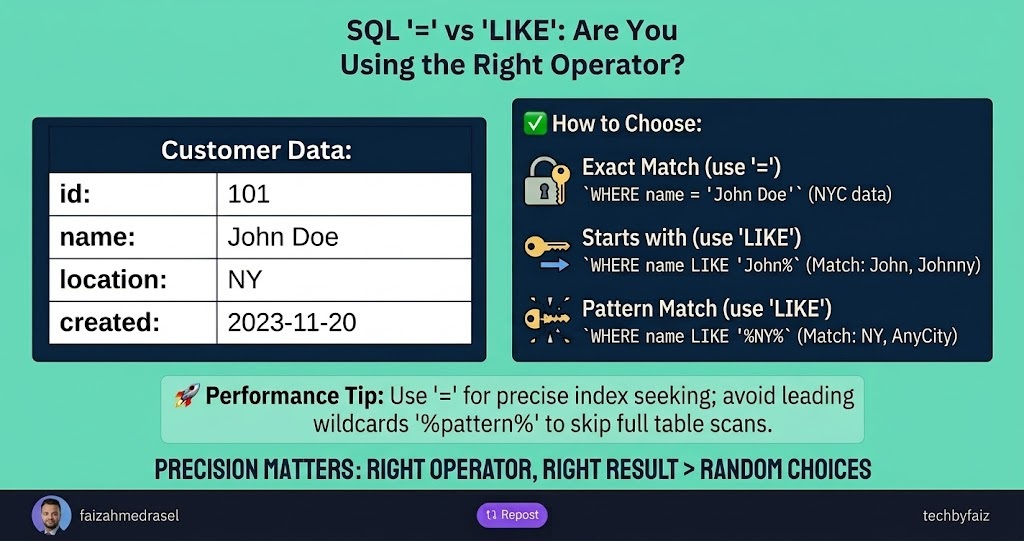
When querying data in SQL, two operators are commonly used to compare values:
=LIKE
Although they may seem interchangeable in some cases, they serve different purposes and can have very different performance characteristics.
Understanding when to use each operator helps you write more accurate and efficient queries.
The ‘=’ Operator
The = operator is used for an exact match.
Example:
SELECT *
FROM Employees
WHERE FirstName = 'John';
This query returns only rows where the FirstName is exactly John.
It won’t match:
- Johnny
- Johnson
- John Doe
Only the exact value.
When to Use ‘=’
Use = when:
- Searching for an exact value
- Comparing IDs
- Matching usernames
- Filtering status values
- Looking up primary or unique keys
The LIKE Operator
LIKE is used for pattern matching.
Example:
SELECT *
FROM Employees
WHERE FirstName LIKE 'John%';
This query matches:
- John
- Johnny
- Johnson
because % means zero or more characters.
Common Wildcards
Starts With
WHERE FirstName LIKE 'Jo%'
Matches:
- John
- Joseph
- Jordan
Ends With
WHERE FirstName LIKE '%son'
Matches:
- Johnson
- Anderson
Contains
WHERE FirstName LIKE '%oh%'
Matches:
- John
- Johnny
Single Character
WHERE Code LIKE 'A_1'
Matches:
- AA1
- AB1
But not:
- AAB1
because _ represents exactly one character.
Performance Matters
One of the biggest differences is how SQL Server can use indexes.
Using ‘=’
WHERE EmployeeId = 105
The database can efficiently perform an Index Seek, making this query very fast.
Using LIKE 'John%'
WHERE FirstName LIKE 'John%'
This can often still use an index because the search starts with a known prefix.
Using LIKE '%John%'
WHERE FirstName LIKE '%John%'
This is different.
Since the pattern begins with %, SQL Server usually cannot perform an Index Seek.
Instead, it scans many or all rows, which can significantly impact performance on large tables.
Common Mistake
Some developers use LIKE for exact matches:
WHERE FirstName LIKE 'John'
While it returns the same result as:
WHERE FirstName = 'John'
Using = is clearer, expresses your intent, and is generally the better choice for exact comparisons.
Best Practices
✔ Use = for exact matches.
✔ Use LIKE only when pattern matching is required.
✔ Avoid leading wildcards (%value) on large tables whenever possible.
✔ Ensure frequently searched columns are properly indexed.
Final Thoughts
The choice between = and LIKE isn’t just about syntax—it’s about selecting the right tool for the job.
If you’re searching for an exact value, = is the best choice.
If you need flexible text searching, LIKE is the right operator—but use it carefully, especially on large datasets.
Writing efficient SQL starts with understanding how the database executes your queries.
Leave a Reply