Cloud computing has become a core part of modern software development. Whether you’re building web applications, mobile apps, AI solutions, or enterprise systems, chances are you’ll interact with a cloud platform.
One of the most popular cloud platforms is Microsoft Azure.
If you’re new to Azure or preparing for the AZ-900: Microsoft Azure Fundamentals certification, understanding the core concepts is the best place to start.
What is Microsoft Azure?
Microsoft Azure is Microsoft’s cloud computing platform that provides hundreds of services for building, deploying, and managing applications.
Instead of purchasing and maintaining physical servers, developers can use Azure to access computing resources whenever they need them.
Azure offers services such as:
- Virtual Machines
- App Services
- SQL Databases
- Storage Accounts
- Networking
- AI and Machine Learning
- Kubernetes
- Serverless Computing
- Identity Management
This allows organizations to focus more on developing applications and less on managing infrastructure.
Why Learn Azure?
Learning Azure helps developers:
- Build scalable applications
- Deploy applications faster
- Reduce infrastructure management
- Improve application reliability
- Integrate AI and modern cloud services
- Work confidently in enterprise environments
Cloud skills are now expected in many software engineering roles.
The Three Cloud Service Models
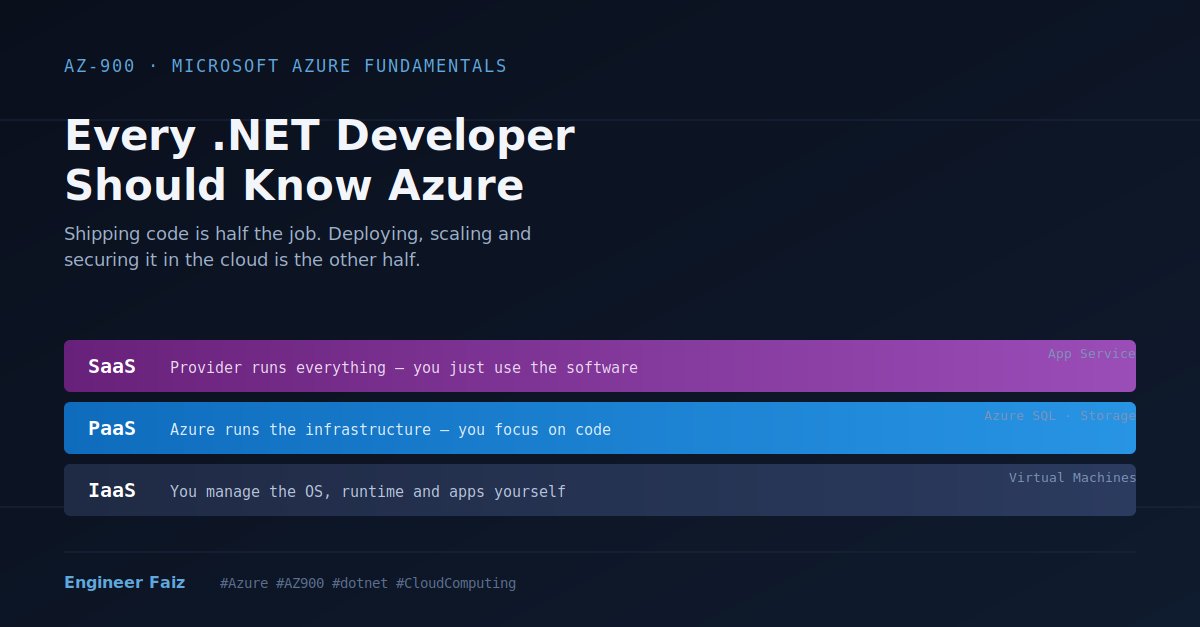
Azure provides three primary cloud service models.
Infrastructure as a Service (IaaS)
Azure manages the hardware, while you manage the operating system and applications.
Examples:
- Azure Virtual Machines
- Virtual Networks
Use when you need maximum control.
Platform as a Service (PaaS)
Azure manages the infrastructure and operating system, allowing you to focus on your application.
Examples:
- Azure App Service
- Azure SQL Database
Ideal for most web applications and APIs.
Software as a Service (SaaS)
The software is fully managed by the provider.
Examples:
- Microsoft 365
- Outlook
- Teams
Users simply consume the application without worrying about infrastructure.
Azure Regions and Availability Zones
Azure operates data centers across the world.
- Regions are geographic locations where Azure services are hosted.
- Availability Zones are physically separate data centers within a region that improve application availability and fault tolerance.
Designing applications across multiple zones helps minimize downtime.
Core Azure Services Every Beginner Should Know
Here are a few services you’ll encounter frequently:
- Azure Virtual Machines – Run Windows or Linux servers.
- Azure App Service – Host web apps and APIs without managing servers.
- Azure Storage Account – Store files, blobs, queues, and tables.
- Azure SQL Database – Fully managed relational database.
- Azure Virtual Network (VNet) – Secure communication between Azure resources.
- Azure Active Directory (Microsoft Entra ID) – Identity and access management.
Who Should Learn Azure Fundamentals?
Azure Fundamentals is suitable for:
- Software Developers
- Backend Engineers
- DevOps Engineers
- Cloud Engineers
- Students
- Solution Architects
- Technical Managers
Even if you’re not planning to become a cloud engineer, understanding Azure will help you design modern applications more effectively.
Final Thoughts
Cloud computing is no longer optional for modern software development.
Microsoft Azure provides the tools to build secure, scalable, and highly available applications.
If you’re beginning your cloud journey, mastering Azure Fundamentals is an excellent first step that will benefit your career and prepare you for more advanced Azure certifications.
Leave a Reply